![[personal profile]](https://www.dreamwidth.org/img/silk/identity/user.png) rosecarmine posting in
rosecarmine posting in ![[community profile]](https://www.dreamwidth.org/img/silk/identity/community.png) myrtillenne
myrtillenne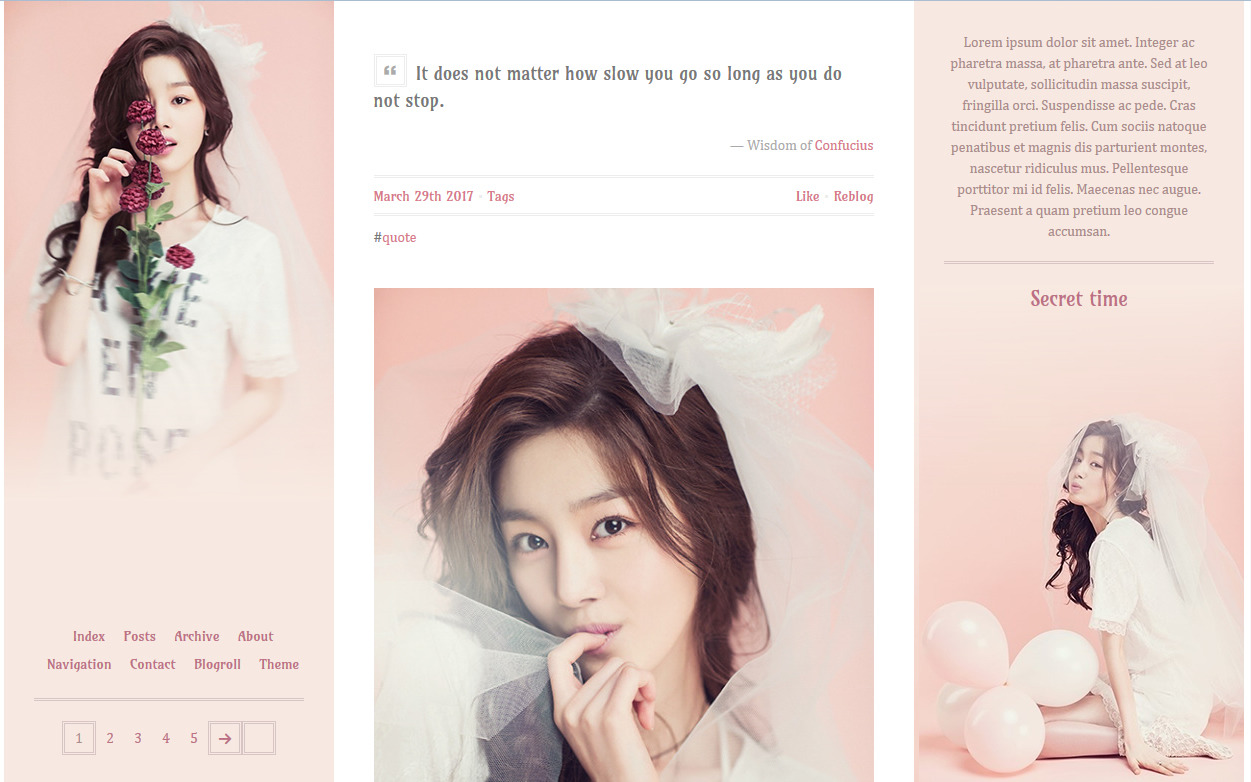
FEATURES
- all-in-one theme containing about, links (including page links), contact with ask, submit and optional faq and blogroll
- 300 - 500px wide posts
- show tags on click (optional)
- like and reblog links on index page
- pagination or infinite scroll (with optional manual load)
- font size and google fonts of your choice
- custom photoset lightbox
All additional panels are optional. Instructions and examples can be found in the code.
If you disable the navigation panel, your page links will be added to the sidebar navigation. You can also add up to four extra sidebar links. If you disable the contact panel, links to the ask and submit pages will be added to the sidebar navigation.
CODE
RESOURCES
- photoset grid by Pixel Union
- icon font by Metro UI CSS
- custom tooltips by JQuery Foundation
- audio player tutorial by Roxie
- infinite scroll by Paul Irish
Tags:
A question
Date: 22/04/2017 07:57 am (UTC)I absolutely love this theme and use it on my blog. There's one thing I'd like to change about it, though, so I wonder if you can help me out? I would like the theme to stretch gifs and images in response posts to the column width and I can't seem to find the solution with my inferior CSS skills. I hope I'm not being too obnoxious with this! I do love the theme a lot.
Thank you so much!
-Sera
Re: A question
Date: 22/04/2017 06:19 pm (UTC)Yes, sure. You want only in ask/answer posts? If so, add
.asker-question img, .answerer-answer img{
width:100%;
height:auto;
}
Let me know if it has the effect you want.
Re: A question
Date: 22/04/2017 07:11 pm (UTC)Oh, fabulous! It worked, thank you ever so much. :) I'll be keeping this theme for a very long time. Huge thanks for responding to me and sharing the theme!
Re: A question
Date: 23/04/2017 09:18 am (UTC)no subject
Date: 04/06/2017 09:05 pm (UTC)Thanks for the very pretty theme! I have a little question: I think I see a search option in the code, but it doesn't show on the theme? How do I activate it? I'd like to locate a search bar on the left sidebar above the links.
no subject
Date: 06/06/2017 10:41 am (UTC)The search bar can be found on the links panel. But if you disabled that panel or want to move the search bar from there cut this piece of code from its current location
and paste it below
You'd have to change the colours a bit to make it match the sidebar. For example:
For #search input[type="text"] change to:
border:3px double {color:Left Sidebar Border};
background:{color:Left Sidebar Background};
color:{color:Left Sidebar Text};
For #search input#search-btn change to
background:{color:Left Sidebar Background};
color:{color:Left Sidebar Text};
border:3px double {color:Left Sidebar Border};
no subject
Date: 08/06/2017 10:03 pm (UTC)no subject
Date: 10/06/2017 07:31 pm (UTC)Blogroll
Date: 09/07/2017 09:10 pm (UTC)